Planned in the office.
Started in the engine room.
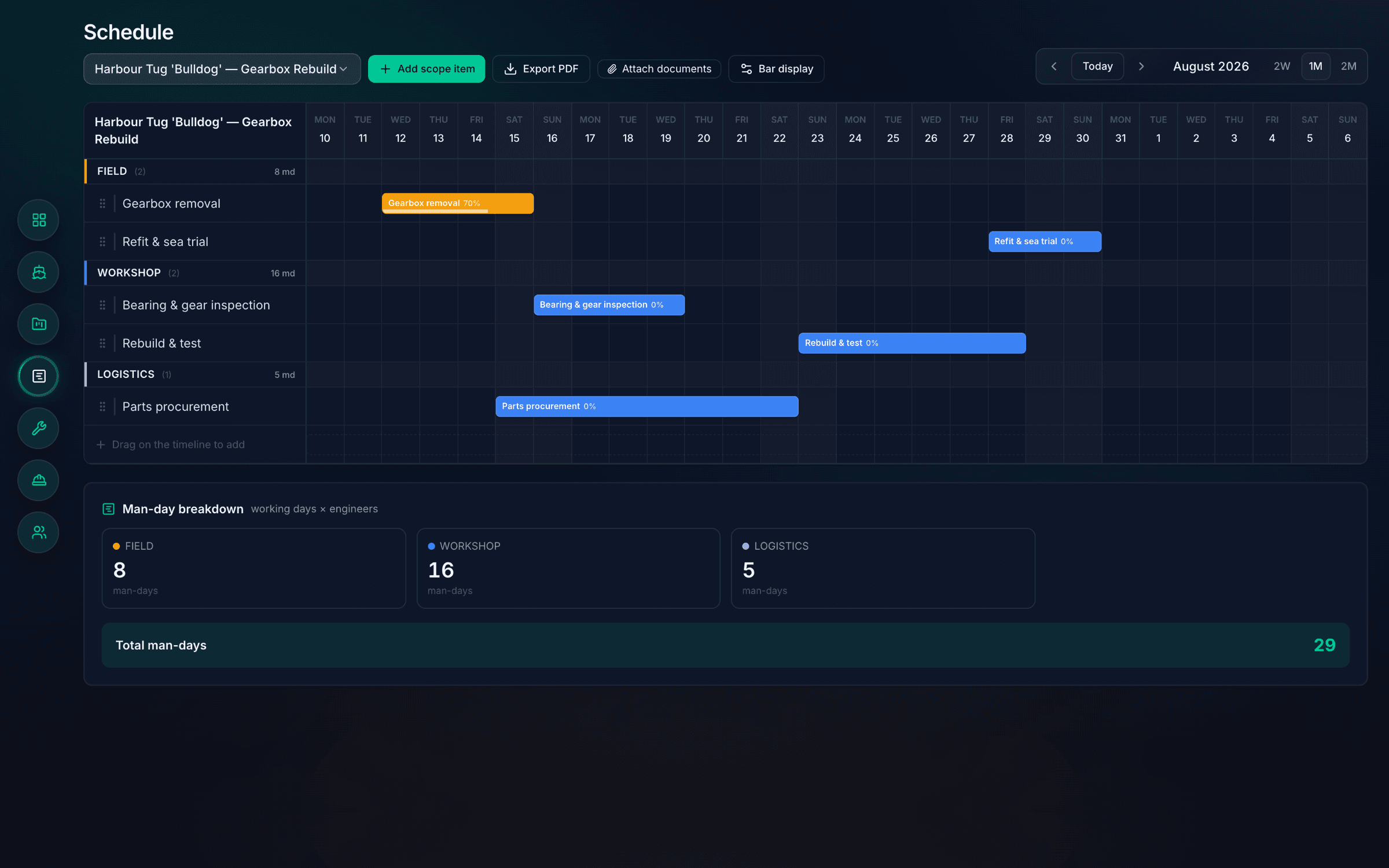
One plan for the whole job, with the man-days worked out for you. The office drags the bars; the crew tap Start on their phones, even with no signal.
Below is the crew’s Field Board. Try it: turn the signal off, then Start, Update and Complete.
Two months free on a real refit. We load it and stay on call.
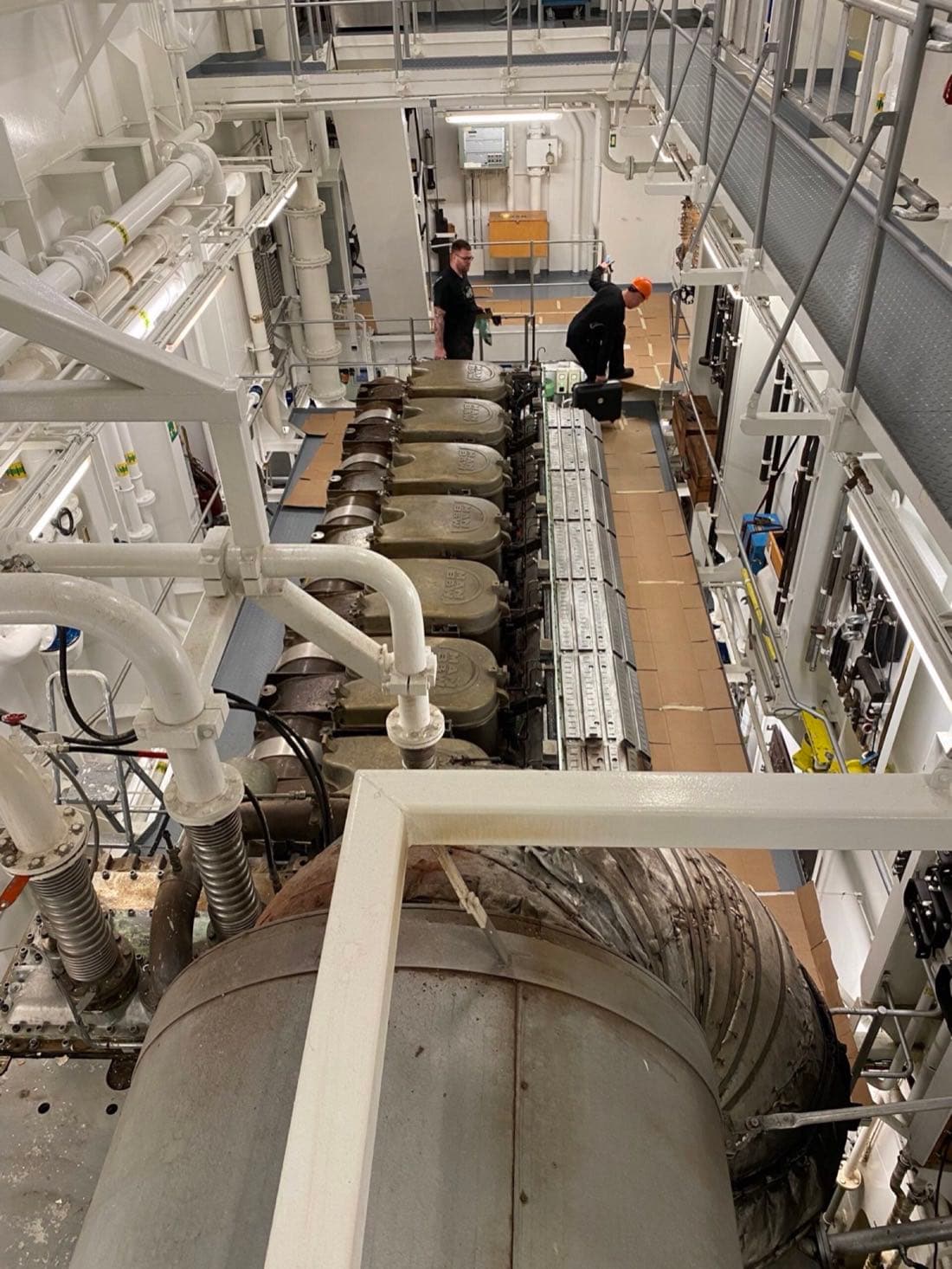 In the engine room · the Field Board
- Man-days that add themselves
Working days times engineers, per item, per trade, per job.
- A board for each crew
Start, Update, Complete. It all saves on the phone when there’s no signal.
- A plan you can send
Your logo and the Gantt as a PDF, with or without the man-days.
Shown with our demo company’s data. The phone shows the real Field Board’s layout.
The estimate adds itself up.
Each scope item has its dates and its engineers. Drag the bar longer and the man-days go up with it, in the item, the trade and the job.
- Field8man-days
- Workshop16man-days
- Logistics5man-days
The same breakdown sits under every Gantt, and goes on the PDF.
What the crew see on their phone.
Their own crew’s work, in the order the office planned it. Three screens from the real Field Board.
Built from the real Field Board’s screens, with our demo company’s job. The finding is an example.
Work orders assigned to field.
Nothing outside the agreed scope has been raised on this job.
Harbour Tug ‘Bulldog’ — Gearbox Rebuild
Harbour Tug ‘Bulldog’ — Gearbox Rebuild
Nothing here.
Nothing here.
Meanwhile, on the office’s dashboard
- Gearbox removalNot started
- Refit & sea trialNot started
- FindingsNone
Everything the crew taps shows up here.
And back in the office.
- One Gantt for the job
Drag bars, drag edges. The man-days add themselves up: 8 + 16 + 5 = 29.
- Needs attention
What’s overdue, unassigned or ending this week, in one list.
- A plan you can send
A PDF of the plan with your logo, and a Monday morning email of the week.
- Jobs arrive from Keel Planner
Book it in Planner, it lands in Project. One login for both.
One loop. Nobody phones for a status.
Schedule it
Each scope item gets dates, engineers and a crew: field or workshop.
OfficeIt’s on their board
Only their crew’s work, in the order you planned it.
CrewStart, update, complete
Start is timestamped. The office sees each change.
CrewRaise a finding
Anything outside the agreed scope, with the days it adds.
CrewNeeds attention
The dashboard gathers what’s overdue, unassigned or ending this week.
Office
What comes off the plan.
The PDF plan
Your logo and the Gantt. The office copy carries the man-days; the copy for your customer leaves them out.
The Monday email
Every Monday morning, the week ahead. The office gets the whole company, each crew gets its own. No login needed.
A view for your customer
They see their projects and the dates, always the current version. They can’t change a thing.
Book the job in Keel Planner and it lands in Project’s “From Planner” list. One login for both.
We load it. You run the refit.
A quick call
You walk us through the refit: who does what, and for how long.
We load your plan
Scope items, crews and dates are in before anyone first logs in.
Two months on a real refit
Run it for real, with us on call. Keep it if it earns its place.
Put your crew on it for a real refit.Let’s talk.
We load the plan, show the crew their board and stay on call through the refit.
We’ll load your next refit and put your crew on the board. Two months free, with us on call.